
Stream marker tool 𐦮
Time to slow down and take my time when traveling in digital worlds during live streams that become videos in 2026.
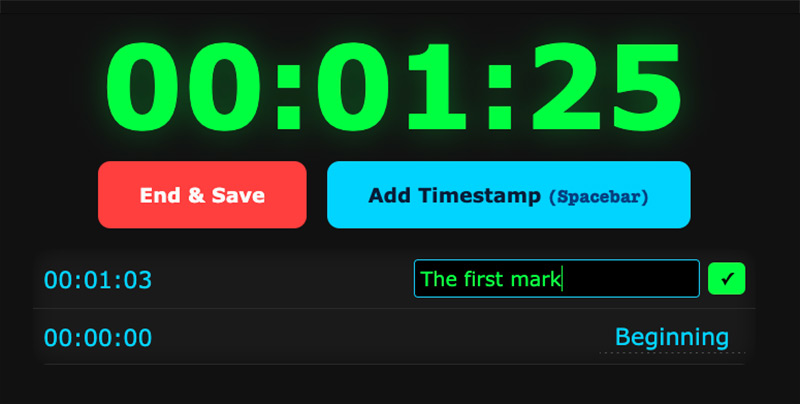
To help log elapsed timestamps for making video chapters for YouTube livestreams, I made this 𐦮 stream marker tool to be used thus:
- Press Start when beginning your stream.
- Press Add Timestamp or Spacebar to add timestamps. These auto-save in 10 seconds if you don’t start typing. Click Titles to edit, press Enter to save.
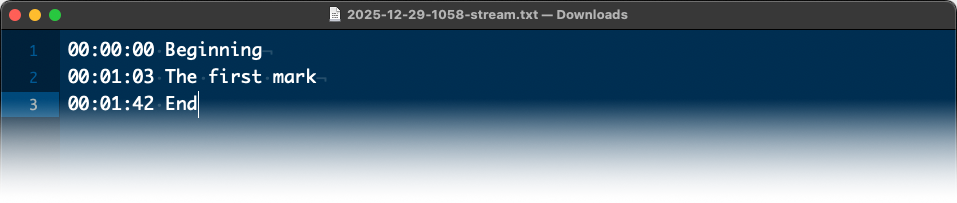
- Press End & Save to save yyyy-mm-dd-hhmm-stream.txt with log entries with elapsed time in chronological order, and also copy the log to your clipboard so it works in an Open Broadcaster Software browser dock, which blocks file downloads. Paste the text into YouTube video descriptions for video chapters. You can also use it to log elapsed timestamps when observing anything, like your own daily stream of life.
If you find it useful you can File → Save… the tool to your computer and use it where you like, locally or on a server.
Wishing you a good 2026 ❤︎
PS. See Mindful Timer for help to take a break from screens.
· ˖ ✦ . ˳
Come with me in creative journeys through music and play by subscribing to my YouTube and Twitch channels. ❤︎ Did you enjoy this post? You can buy me a moment of time.
Possibly Related:
- 7-minute exercise (and stream marker tool) updates
- Show time in other time zones in macOS menubar
- Waveform visualizer
- Paparazzi!
- LoopTube
˳ · ˖
Prior entry: Year calendar on single sheet of paper
Next entry: GTA and Thief series in The RPS 100: Reader Edition 2025